
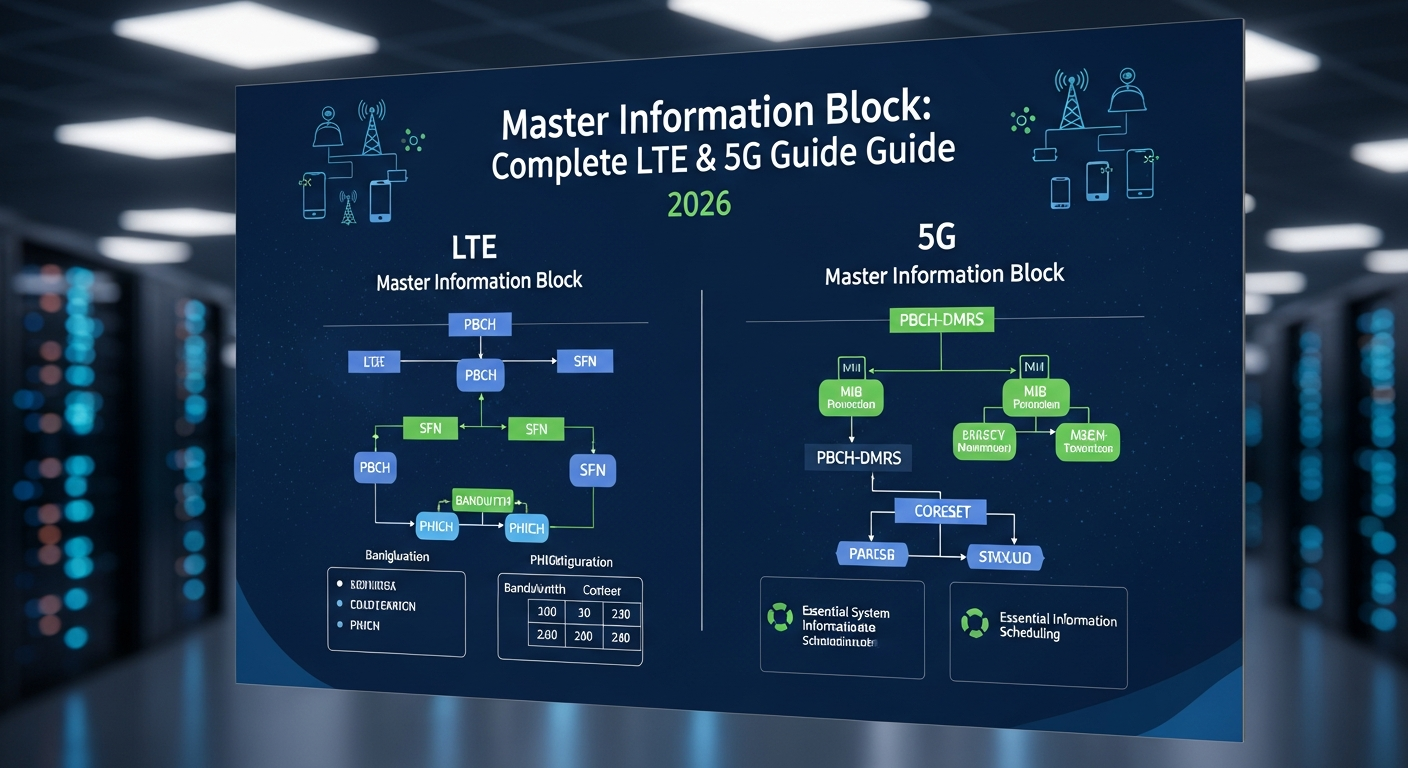
Learn what Master Information Block is and how it enables LTE and 5G connections. Complete guide covering MIB functions, problems, and troubleshooting tips.
What Exactly is This Master Information Block Thing?
Picture yourself walking into a massive shopping mall for the first time. Before you can find any specific store, you need that directory map near the entrance, right? The Master Information Block works exactly like that directory—it’s the first piece of information your phone reads to understand everything about the cellular network it’s trying to join.
Without this critical handshake, your phone is basically lost. It might detect that there’s a signal out there, but it has no idea how to actually connect or communicate. That’s why you sometimes see signal bars on your screen but still get that frustrating “No Service” message.
The Real Story Behind LTE Master Information Block
When 4G LTE networks rolled out, engineers needed a smart way to broadcast essential network information to millions of devices simultaneously. The LTE Master Information Block became that solution—a compact package of data transmitted every 40 milliseconds.
Think about how brilliant this design is. Your phone doesn’t need to ask permission or send a request. The network just keeps broadcasting this information constantly, like a lighthouse sending out its beam. Any device in range can grab this information and use it to get started.
What’s Actually Inside the LTE Master Information Block?
Here’s where things get interesting. This tiny block of data packs in several crucial pieces of information:
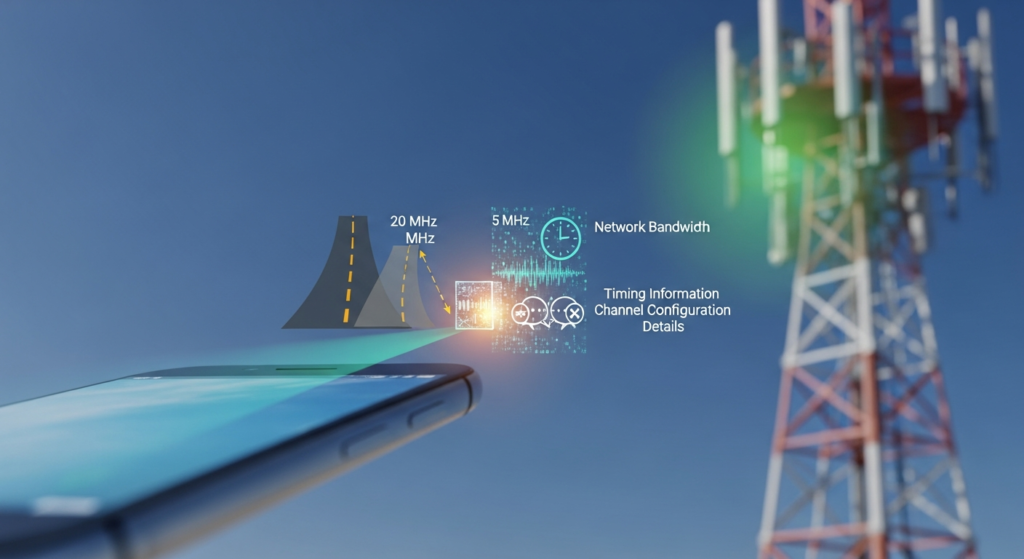
The Network’s Bandwidth: Imagine the network telling your phone, “Hey, I’ve got a highway here that’s 20 MHz wide” or “I’m working with a smaller 5 MHz road.” Your phone needs to know this to properly receive and send data.
Timing Information: Networks run on incredibly precise timing—we’re talking microsecond accuracy here. The Master Information Block includes system frame numbers that help your phone sync its internal clock with the network’s master timekeeper.
Channel Configuration Details: This tells your phone how the network has organized its communication channels and what techniques it’s using for error correction and data reliability.
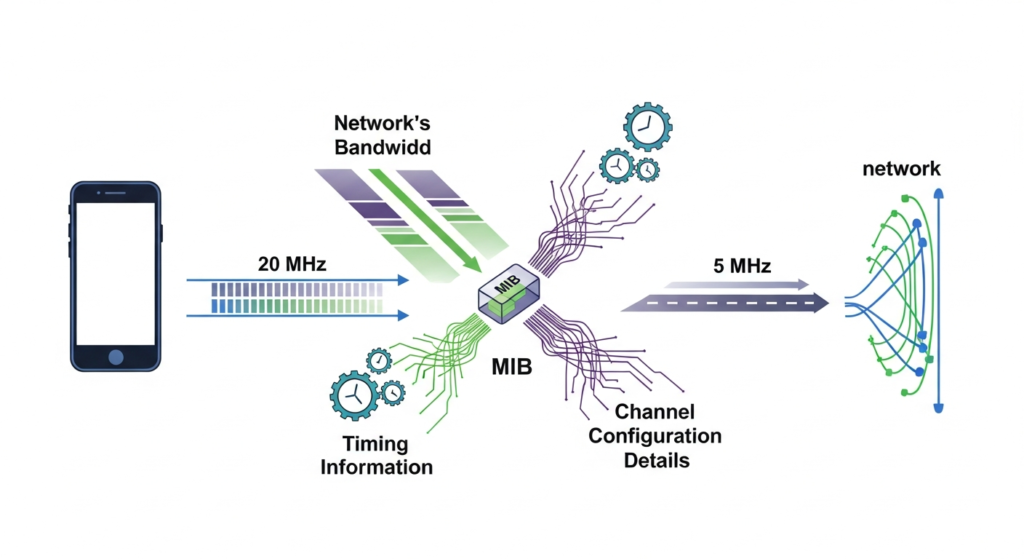
The fascinating part? All this information fits into just 24 bits of data. That’s smaller than a typical text message, yet it contains everything needed to kick-start the connection process.
How Your Phone Actually Reads the Master Information Block
Let me walk you through what’s happening inside your phone during those connection seconds:
Stage One: The Search Begins
Your phone wakes up and starts scanning. It’s like tuning an old radio, sweeping through frequencies looking for something—anything—that sounds like a cellular network. This phase drains your battery the most because the radio components are working overtime.
Stage Two: Finding the Beat
Once your phone detects a signal, it locks onto special synchronization signals. These are like the drumbeat in a song—they establish the rhythm and timing. Your phone now knows when to listen for the Master Information Block.
Stage Three: The Golden Moment
Now comes the critical part. The Master Information Block appears exactly where and when your phone expects it. The phone grabs this transmission, runs it through error-checking algorithms, and extracts all those essential parameters we talked about.
The whole process usually takes between 200 and 500 milliseconds under normal conditions. In areas with weak signals or lots of interference, you might wait several seconds as your phone makes repeated attempts.
Stage Four: Getting Ready to Talk
With the Master Information Block successfully decoded, your phone now configures itself properly. It’s like learning the local language and customs before starting a conversation. Now your device is ready to send its connection request and start actually using the network.
Master Information Block 5G: Welcome to the Future
When 5G networks started rolling out, engineers took everything they learned from LTE and made significant improvements. The Master Information Block 5G maintains the same basic concept but with some really clever enhancements.
What Changed in the 5G Version?
The biggest shift is flexibility. LTE networks were somewhat rigid—they worked in specific ways with limited options. 5G needed to handle everything from rural coverage using low-frequency bands to ultra-fast urban networks operating in millimeter wave spectrum.
The Master Information Block 5G adapts to these different scenarios. It can work with various channel sizes, different transmission patterns, and multiple frequency ranges. This flexibility is why 5G can provide such diverse services, from massive IoT deployments to lightning-fast mobile broadband.
Three Game-Changing Improvements
- Smarter Power Management: The 5G version adjusts transmission power intelligently. In a crowded urban area with many cells, it might reduce power to minimize interference. In rural areas, it cranks up the power for maximum coverage.
- Better Error Protection: 5G uses a more advanced coding scheme called polar coding. This mathematical wizardry means your phone can successfully decode the Master Information Block even in really challenging conditions.
- Faster Adaptation: While LTE Master Information Block parameters rarely changed, 5G can adjust more dynamically based on network conditions and requirements.
The Technical Details (Without the Headache)
Let me show you the key differences between LTE and 5G in a simple comparison:
| Feature | LTE Master Information Block | 5G Master Information Block |
|---|---|---|
| How Often It Broadcasts | Every 40 milliseconds | Every 80 milliseconds |
| Size of Information | 24 bits | 23 bits (slightly more efficient) |
| Bandwidth Flexibility | Limited (1.4 to 20 MHz) | Extremely flexible (up to 400 MHz) |
| Where It Transmits | Always in center 6 resource blocks | Configurable location |
| Timing Options | Single option (15 kHz spacing) | Multiple options for different scenarios |
| Error Protection | Good | Excellent (polar coding) |
What Information Does the Master Information Block Carry?
Here’s a breakdown of the critical data elements and why they matter:
| Data Element | What It Does | What Happens If It’s Wrong |
|---|---|---|
| System Bandwidth | Tells your phone how wide the channel is | Phone can’t decode additional information |
| Frame Number | Provides timing synchronization | Calls drop, data fails |
| HARQ Configuration | Sets up error correction system | More failed transmissions |
| Antenna Info | Explains MIMO setup | Slower data speeds |
| Next Info Location | Points to detailed system information | Delayed access to network |
When Things Go Wrong: Real Problems People Face
I’ve seen countless situations where Master Information Block issues caused real headaches for users. Let me share some actual scenarios:
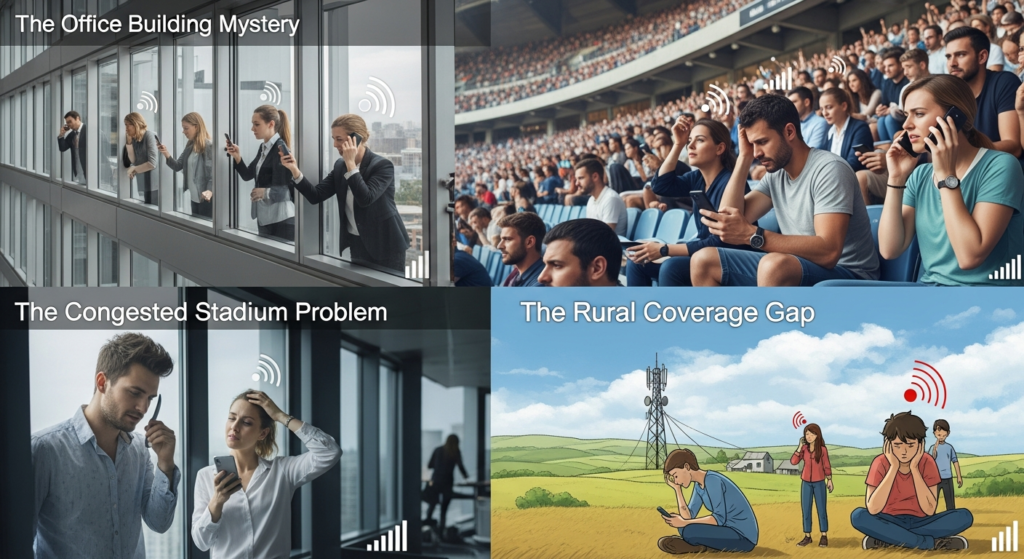
The Office Building Mystery
A company once called me because employees complained about terrible service on certain floors. Their phones showed signal bars but wouldn’t connect. After investigation, we found that the building’s new energy-efficient windows contained metallic coatings that weakened the Master Information Block signals just enough to cause failures. The solution involved adding a small indoor antenna system.
The Congested Stadium Problem
At sports venues, thousands of phones try connecting simultaneously. The Master Information Block transmits constantly, but with so many devices competing for attention and all the radio interference from the crowd, many phones struggle to decode it successfully. Modern stadiums now use distributed antenna systems and extra cells to handle this challenge.
The Rural Coverage Gap
In countryside areas, a single tower might cover several miles. The challenge is that while data signals might reach far enough, the Master Information Block needs to be received reliably at those distances. Network operators often boost Master Information Block power or add additional cell sites to ensure reliable initial connections.
Five Common Problems You Might Experience
- Signal Bars But No Connection: Your phone detects the network but can’t decode the Master Information Block properly. Usually caused by weak signals, interference, or obstacles blocking the path between your phone and the tower.
- Slow Connection After Airplane Mode: Taking 15-20 seconds to reconnect indicates your phone is struggling with Master Information Block reception. It eventually succeeds after multiple attempts, but the experience feels painfully slow.
- Connection Drops in Specific Locations: Certain spots in your home or office where connection consistently fails might have unique interference patterns or signal blockages affecting Master Information Block reception.
- Battery Drains Faster: When your phone repeatedly fails to decode the Master Information Block, it keeps trying over and over. All that unsuccessful scanning and decoding work drains your battery much faster than normal.
- Wrong Cell Selection: Sometimes your phone connects to a distant cell tower instead of a closer one because it managed to decode that distant tower’s Master Information Block while missing the closer signals.
How Network Engineers Plan Master Information Block Performance
Building a reliable cellular network involves careful attention to Master Information Block transmission. Here’s what goes into the planning:
Six Critical Planning Steps
- Coverage Mapping: Engineers create detailed maps showing predicted Master Information Block reception quality everywhere in the coverage area. They design the network so this critical signal reaches every location where service is needed.
- Power Level Optimization: Too little power means coverage gaps. Too much power creates interference with neighboring cells. Finding the sweet spot requires sophisticated computer modeling and real-world testing.
- Interference Hunting: The Master Information Block transmits on specific frequencies, so any interference at those exact frequencies causes disproportionate problems. Engineers identify and eliminate interference sources before they impact users.
- Redundancy Design: The best networks ensure multiple cells provide overlapping coverage. If your phone can’t decode the Master Information Block from one tower, it has alternatives to try.
- Seasonal Adjustments: Trees with leaves block signals differently than bare winter branches. Some networks adjust Master Information Block power seasonally to maintain consistent performance year-round.
- Load Balancing: When multiple towers provide good Master Information Block coverage, engineers configure parameters to distribute devices evenly across available cells, preventing any single tower from becoming overloaded.
Troubleshooting Tools and Techniques
Professional network engineers use specialized equipment to diagnose Master Information Block problems, but regular users can also gather useful information.
What Modern Phones Can Tell You
Most smartphones hide detailed technical information in special diagnostic screens. On many devices, dialing specific codes reveals network connection details including signal strength, cell identity, and connection status. While these screens look intimidating with their technical jargon, they can help identify patterns in connection problems.
Professional Testing Approaches
Network operators use drive testing equipment that records Master Information Block reception quality along roads and throughout coverage areas. This data reveals:
- Exact locations where decoding fails
- Signal strength at problem spots
- Time required for successful connection
- Patterns suggesting specific issues
When numerous users report problems in similar locations, these detailed measurements help engineers identify root causes and implement solutions.
The Business Side: Why Companies Care About Master Information Block Performance
For cellular network operators, Master Information Block performance directly impacts the bottom line:
Customer Retention: People judge network quality primarily on reliability. If connections fail frequently, subscribers switch carriers—and they rarely explain exactly why they’re leaving. Operators lose customers without understanding Master Information Block issues caused the problems.
Support Cost Reduction: Every customer service call costs money. Proactively monitoring Master Information Block performance and fixing issues before customers complain reduces support expenses significantly.
Reputation Management: Social media amplifies network problems. Users post about frustrating “No Service” experiences, damaging brand reputation. Strong Master Information Block performance prevents these complaints from starting.
Revenue Opportunities: Reliable connections mean users actually use their devices for calls, texts, and data. Better Master Information Block performance directly enables more network usage and higher revenue.
Looking Ahead: The Future of Broadcast Information
The telecommunications industry never stops innovating. Here’s what’s coming next for Master Information Block technology:
Artificial Intelligence Integration
Future networks will use machine learning to automatically optimize Master Information Block parameters. These AI systems will analyze millions of connection attempts, weather patterns, traffic conditions, and other factors to continuously tune transmission settings for optimal performance.
Imagine a system that notices connection success rates dropping during rush hour and automatically adjusts power levels and timing to compensate. Or one that predicts upcoming problems based on historical patterns and takes preventive action.
Network Slicing Indicators
Advanced 5G and future 6G networks support “network slicing”—creating multiple virtual networks with different characteristics on the same physical infrastructure. Future Master Information Block versions might include hints about available slices, helping devices quickly identify the right virtual network for their needs.
An autonomous vehicle might look for ultra-reliable low-latency slices, while an IoT sensor seeks out energy-efficient options designed for occasional data transmission.
Enhanced Security
As networks become more critical to daily life, security becomes paramount. Future Master Information Block implementations will incorporate stronger integrity protection, making it nearly impossible for malicious actors to create fake base stations or manipulate broadcast information.
Your Master Information Block Health Checklist
Whether you’re a network professional or just curious about optimizing your phone’s performance, here are key things to monitor:
For Network Operators
- Success Rate Tracking: Measure what percentage of Master Information Block decoding attempts succeed. Anything below 98% deserves investigation.
- Geographic Analysis: Break down performance by location. Are certain areas consistently problematic? Do patterns emerge by time of day or day of week?
- Comparative Metrics: How does each cell site compare to neighbors? Outliers often indicate specific equipment issues or local interference sources.
- Trend Monitoring: Is performance improving, degrading, or staying steady over time? Degradation might indicate developing equipment failures or new interference sources.
- Customer Correlation: Do locations with poor Master Information Block metrics correlate with customer complaints? This validates that technical measurements align with user experience.
For Regular Users
- Signal Pattern Awareness: Notice where connection problems occur. Is it always the same locations? Specific times of day? This information helps you work around issues and provides valuable data if you contact your carrier.
- Battery Life Monitoring: Sudden decreases in battery life might indicate your phone is struggling with network connections and repeatedly trying to decode Master Information Block transmissions.
- Airplane Mode Timing: Pay attention to how long reconnection takes. Consistent delays suggest marginal signal conditions where you’re located.
Frequently Asked Questions About Master Information Block
Q: Why does my phone show signal bars but still say “No Service”?
Your phone detects radio frequency energy from the cell tower, so it displays signal bars. However, it cannot successfully decode the Master Information Block that contains essential connection information. This commonly happens at coverage edges or in areas with interference. The signal is strong enough to detect but not clean enough to read correctly.
Q: How often does the Master Information Block actually transmit?
In LTE networks, it broadcasts every 40 milliseconds—that’s 25 times per second. This frequent repetition ensures devices can quickly acquire the information even if individual transmissions fail due to interference or movement. 5G networks transmit it every 80 milliseconds, which is still remarkably frequent.
Q: Can weather affect Master Information Block reception?
Absolutely. Heavy rain, snow, and fog can all impact radio signal propagation, particularly at higher frequencies used in 5G. The Master Information Block typically uses robust transmission methods, but severe weather can still cause problems. This is why connection issues sometimes occur during storms.
Q: Is there anything I can do to improve Master Information Block reception?
Move closer to windows if you’re indoors, as building materials block signals. Elevate your position when possible—being on higher floors often helps. Avoid basements and interior rooms with no windows. Turn off and restart your phone occasionally, as this forces a fresh Master Information Block acquisition and can resolve stuck connection states.
Q: Do all phones decode the Master Information Block the same way?
Different phone models have varying receiver sensitivity and antenna designs. Premium phones often include better radio components that successfully decode Master Information Block transmissions in marginal conditions where budget phones fail. This explains why two people in the same location might experience different connection reliability.
Q: Why does my phone take longer to connect in crowded places?
In crowded areas like concerts or stadiums, your phone competes with thousands of other devices for network resources. While the Master Information Block still broadcasts regularly, radio interference from all those active devices makes successful decoding more challenging. Additionally, after decoding the Master Information Block, your phone still needs to complete the connection process, which takes longer when the network is congested.
Q: What’s the difference between Master Information Block problems and regular network congestion?
Master Information Block problems prevent initial connection—your phone can’t even get on the network. Network congestion happens after you’re already connected, causing slow data speeds or call quality issues. If you see “No Service” or lengthy connection times, that suggests Master Information Block issues. If you’re connected but everything is slow, that’s typically congestion.
Q: Can I access Master Information Block information on my phone?
Most smartphones hide this technical data, but you can access diagnostic screens on many devices. On iPhones, dial *3001#12345#* and press call. Android phones vary by manufacturer, but options like *#*#4636#*#* or *#0011# might work. These screens show technical details including signal measurements and connection parameters.
Q: Why would a network operator change Master Information Block parameters?
Operators adjust these settings to optimize performance based on real-world conditions. They might increase transmission power to improve coverage, modify timing to reduce interference, or reconfigure parameters after adding new equipment. These changes typically happen during maintenance windows and should improve overall network performance.
Q: Is Master Information Block the same across all cellular technologies?
The concept exists in 3G, 4G, and 5G, but implementation details differ significantly. Each generation improved upon previous versions, adding capabilities and enhancing efficiency. The fundamental purpose—providing essential initial connection information—remains consistent across all technologies.
Wrapping This All Up
Understanding the Master Information Block might seem like diving into technical weeds, but it’s actually the foundation of every cellular connection you make. That phone call to your family, that text message to a friend, that video you just streamed—none of it happens without the Master Information Block working correctly first.
We’ve covered a lot of ground here. You now understand what the Master Information Block does, how your phone uses it, the differences between LTE and 5G implementations, and what can go wrong. More importantly, you understand why these tiny 24 bits of data matter so much in our connected world.
The next time you’re frustrated by a slow connection or that annoying “No Service” message, you’ll know there’s a complex technical conversation happening between your phone and the network. The Master Information Block is trying to do its job, broadcasting that essential information dozens of times every second, hoping your phone can grab it successfully and start the connection process.
For network engineers and technical professionals, proper attention to Master Information Block performance separates mediocre networks from excellent ones. Users might not understand the technical details, but they absolutely feel the difference between networks that connect instantly and reliably versus those that struggle and fail.
The telecommunications industry continues advancing rapidly. What we consider normal today—connecting in under a second, maintaining calls while driving at highway speeds, streaming high-definition video on mobile devices—would have seemed like science fiction just twenty years ago. The humble Master Information Block, constantly broadcasting in the background, makes all of this possible.
As we move toward 6G and beyond, the basic principle will remain: devices need essential information before they can connect. The implementation will evolve, incorporating artificial intelligence, enhanced security, and capabilities we haven’t even imagined yet. But that fundamental handshake between device and network, starting with broadcast information like the Master Information Block, will continue serving as the foundation of wireless connectivity.
So here’s to the Master Information Block—the unsung hero of cellular networks, working tirelessly 25 times every second to help billions of devices connect to the networks we depend on every day. It’s not glamorous, most people never know it exists, but modern mobile communication simply wouldn’t work without it.
Leave a Reply